Android Car Stereo AC Controls Not Working? Check Your CANBUS Settings
- on November 23, 2026
- Categories: Car Stereo
ASURE TROUBLESHOOTING GUIDE
Android Car Stereo AC Controls Not Working? Check Your CANBUS Settings
Learn why air conditioning information or controls may not work after installing an aftermarket Android head unit.
After installing a new Android car stereo, you may notice that the air conditioning (AC) information is not displayed correctly, or certain AC-related functions do not respond as expected.
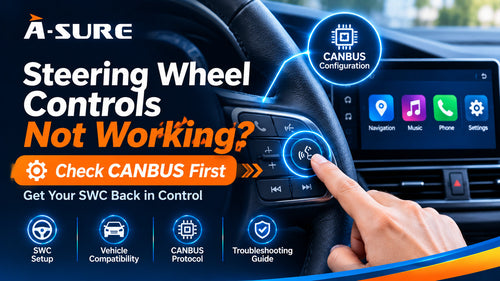
This does not automatically mean your new head unit is defective. In many vehicle-specific installations, AC information and supported factory functions are communicated through the vehicle's CANBUS system.
1. What Does CANBUS Have to Do with AC Controls?
CANBUS is a vehicle communication system that allows different electronic modules to exchange information. Depending on the vehicle and factory equipment, the original radio may receive information such as:
- Air conditioning status or temperature information.
- Fan speed or supported climate-control information.
- Vehicle door status.
- Other supported vehicle information.
When an aftermarket Android head unit uses a compatible CANBUS decoder, it may be able to display or interact with some of these functions.
However, not every vehicle supports every function, and the available features depend on the vehicle's original electronic system and the compatible CANBUS configuration.
2. Check the CANBUS Decoder Connection
If your ASURE stereo comes with a CANBUS decoder, first make sure that the decoder is connected to the correct harness and that all connectors are firmly seated.
- Check the connection between the CANBUS decoder and the main wiring harness.
- Check the decoder's connection to the head unit, where applicable.
- Look for loose connectors or damaged wiring.
- Make sure the correct vehicle-specific harness is being used.
3. Select the Correct Vehicle and CANBUS Protocol
This is one of the most important checks when factory vehicle information does not appear correctly.
On CANBUS-equipped models, the head unit needs the correct vehicle settings and protocol to communicate with the vehicle.
- Open the head unit's Settings menu.
- Enter the vehicle or factory settings section.
- Find the CANBUS or vehicle protocol configuration.
- Select the appropriate CANBUS brand, vehicle model, and configuration for your specific vehicle.
- Save the settings and restart the unit if required.
- Test the supported AC information and controls again.
4. Check Vehicle Compatibility
Even when the correct CANBUS decoder is connected, some vehicles may not transmit all climate-control information to an aftermarket stereo.
Other factors may include:
- Different trim levels or factory climate-control configurations.
- Different CANBUS decoder versions.
- Vehicle-specific communication protocols.
- Functions that are not supported by the original vehicle system.
5. What Information Should You Send to ASURE?
If AC information or controls still do not work, please send our technical team:
- Your vehicle make, model, year, and trim level.
- Your ASURE stereo model number.
- A photo of the CANBUS decoder and wiring connections.
- A screenshot of the vehicle or CANBUS protocol settings.
- A short video showing the AC issue, if possible.
This information helps our team identify whether the issue is related to wiring, protocol configuration, or vehicle compatibility.
Need Help with Your ASURE Stereo?
We are here to help you get your factory vehicle functions working correctly.
Visit ASURE Help CenterEmail: asure2008@gmail.com
About Author